

Don't let them see you - cover your camera
Spyware can be installed on your devices without you noticing, but with this simple control, all they'll ever see is darkness

Picture the following scenario: you’re in the comfort of your home, relaxing on the sofa or in bed, reading a good book or watching your favorite show, cooking, or even doing something more private. Somewhere in a remote location, someone is watching you through the camera of one of your devices.
It sounds like paranoia, but it happens often and more easily than you might think.
And the worst part is that you don’t notice. You don’t know you’re being watched.
How can this attack happen?
It can happen when you download files from websites you believe to be trustworthy, when someone gets between you and the legitimate site (an attack known as man-in-the-middle) and delivers a tampered version of the file instead of the original, when you open an attachment sent to you by email, while downloading torrents, or when you plug into your computer that USB stick someone hands you to share a file - which is actually malware.
It can also happen if someone manages to exploit a vulnerability in your device, whether at the operating system level or in the installed applications.
It can occur when someone with malicious intent gets physical access to your device, even if only for a few minutes.
Or simply through that app which, despite not needing camera access, asks for that permission anyway.
Who carries out the attack?
The motivations can vary: from mere curiosity, to the desire to spy on you, or the intent to catch you off guard in order to take screenshots or record compromising videos that can later be used to extort you - demanding financial compensation in exchange for not sharing the images with people you know or on the Internet.
How can we protect ourselves?
Before we get to the protection that is the subject of this article, there are some basic and essential precautions that help make this kind of unauthorized access harder:
Keep your operating system up to date, installing updates as soon as they become available - updates usually introduce new features but also fix vulnerabilities;
Keep your applications up to date;
Have an antivirus or, preferably, an EDR installed and up to date;
Turn off or restart your devices frequently;
Don’t hand your device over to anyone, even briefly, especially if the person isn’t close to you;
Set up screen locking - for example, with your fingerprint;
Set the screen to lock after few seconds - so it locks quickly if you put it down and step away, making your fingerprint required to unlock it if someone touches it without your knowledge.
However, the protection that doesn’t fail when all the others do is the physical camera blocker. It’s one of the most effective controls I know of, it requires no technical knowledge, and it’s very cheap to buy.
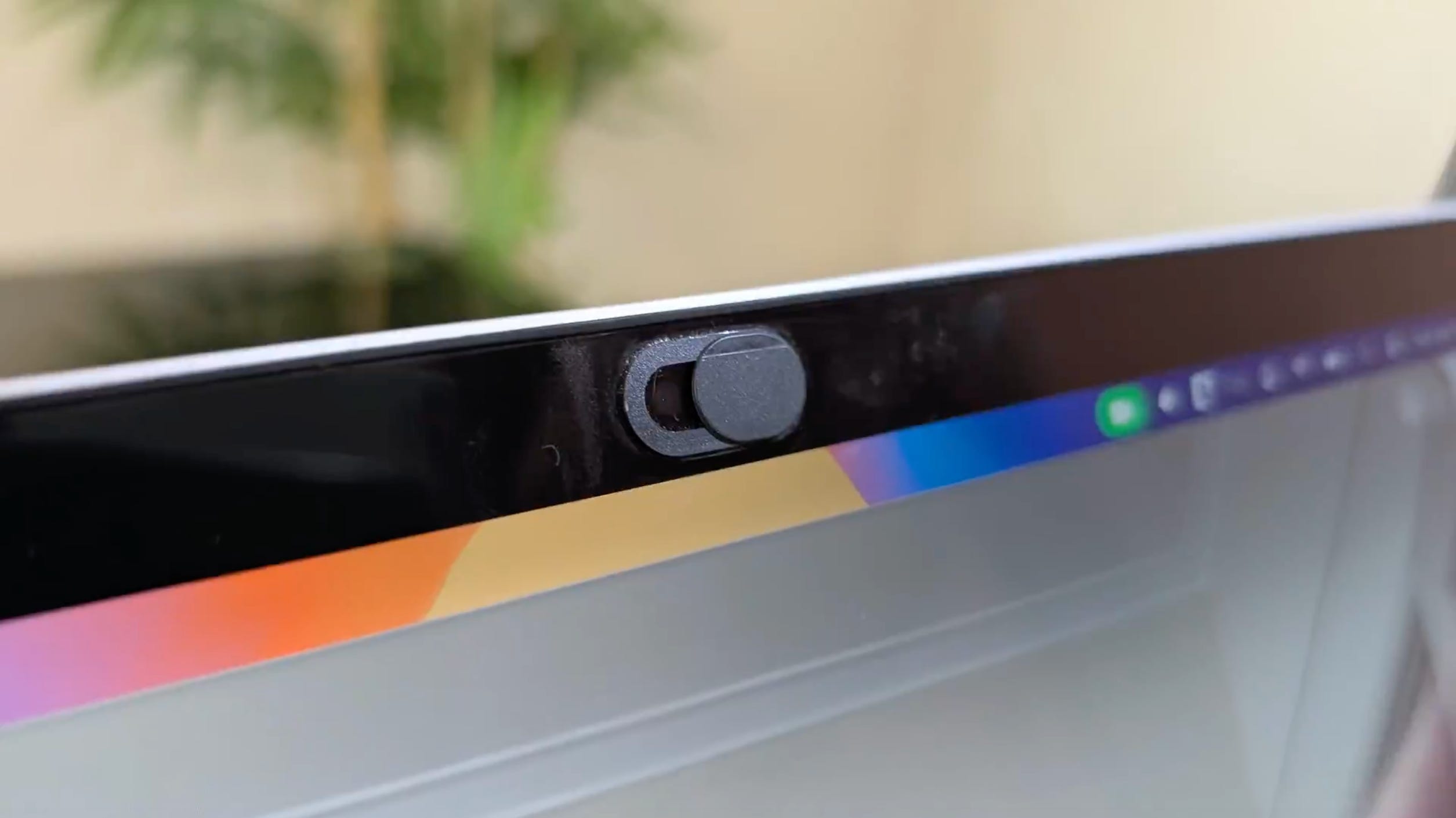
Camera blockers can be applied to computers, tablets, and smartphones. Some of the more recent devices already come with them built in. When that’s not the case, some people stick post-its over the camera, while others (like me) buy a purpose-made piece that sticks over it.
Whenever you want to use the camera, you slide the moving part of the piece to the side, exposing the camera. When you finish a video call or taking a selfie, you slide it back to the position where the camera is covered. If you’re more careless and don’t cover the camera, or if you prefer unlocking your device with your face instead of your fingerprint and therefore keep it uncovered to avoid constantly covering and uncovering it, then the control is no longer effective.
Because it’s a physical control that overrides whatever digital controls may exist on the device, it’s very effective: if those controls fail or are compromised, the physical barrier won’t let the bad actors achieve their goal.
To test it, just open the camera app or start a video call with someone, and slide the blocker over the camera. If all you see is darkness, it’s working properly.
And of course, don’t forget to extend this protection to your family and friends.
Thanks for reading,
Nelson