

I Had One Email Address for Everything. Here's What Happened
How I use unique aliases to kill spam, track exactly who leaks my data, and protect my accounts - without switching everything at once

I learned this the hard way.
I was one of the first Gmail users, back when you could only get an account through an invitation from another user.
I used the brand new email address to sign up for every website I needed from that moment on, and changed to the new address in all the others I was already using.
Over the years, the number of accounts I registered kept growing, and at some point I started receiving spam.
Nothing unusual - who doesn’t get spam?
But the amount of spam kept increasing over time, eventually becoming unmanageable.
Gmail’s filters would catch a good portion of it and move it to the spam folder, but many spam emails slipped past Google’s filters and landed in my inbox.
Worse still, legitimate emails were being moved to the spam folder, which meant I had to keep an eye on that folder too - deleting the actual spam while making sure I didn’t miss the emails that weren’t.
Once your email address ends up on certain lists, it’s over.
I had accounts on websites that had their databases breached, so my email address ended up on the dark web and spam lists.
How I got rid of the problem
When I decided to do something about it, I went for a bigger change: switching to a more secure service than Gmail with a broader and more interesting feature set.
However, that level of change isn’t necessary to solve this problem.
What you need is to use email aliases.
Gmail itself allows you to create aliases:
You can add dots to your email address, and emails sent to that address will be received in your mailbox. So johndoe@gmail.com can become john.doe@gmail.com or j.ohndoe@gmail.com.
You can add the plus sign (+) after the username part. So johndoe@gmail.com can become johndoe+shopping@gmail.com for shopping or johndoe+newsletter@gmail.com for subscriptions.
But this is easy to guess for services, because everyone knows about it.
Worse still, many services can correlate your accounts when they see variations of the same email address, so this wasn’t the solution I was looking for.
What I mean is having genuinely different email addresses for different accounts — almost like having different identities.
And unlike Gmail’s dots and plus signs, these aliases are completely separate from your real address.
Any email sent to one of your aliases gets forwarded to your main inbox without the sender noticing.
You don’t have to set this up in one shot
I did this gradually.
First, I started using SimpleLogin, which in its free plan let me create a limited number of aliases, 10 to be exact.
Because the limit was low, I reused aliases for some accounts - but at least it wasn’t just one address for everything as before.
That said, it’s not the ideal setup, because of that limit and the need to reuse aliases, so the premium subscription can be a good option.
As I had switched to Proton Pass (affiliate link), which ended up acquiring SimpleLogin, I had access to unlimited aliases, so I then started creating one alias per service - meaning every account had its own alias.
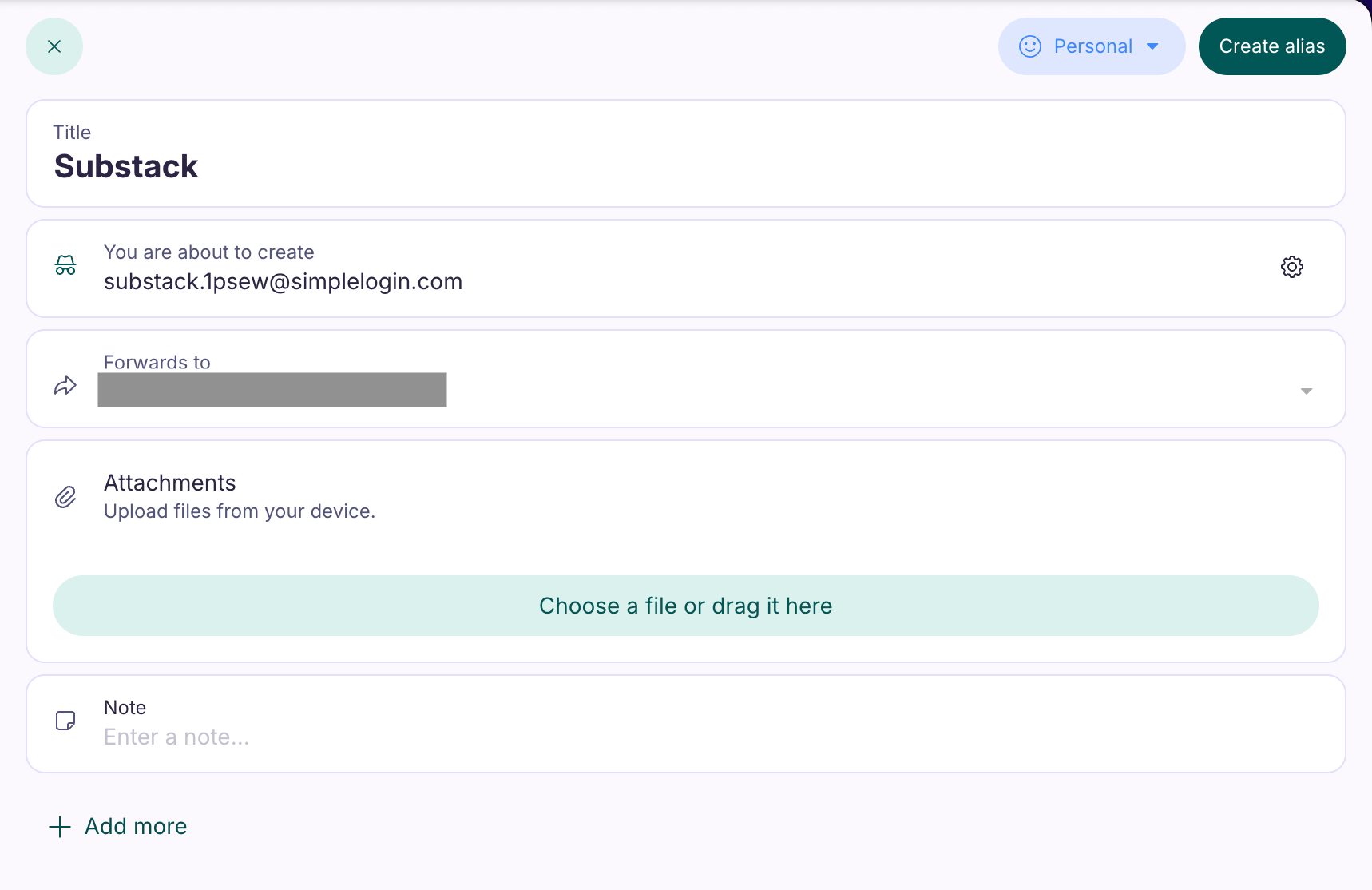
Now, unlimited aliases sometimes require a paid service, but that’s not a strict requirement.
Other free services exist besides SimpleLogin, such as Addy.io or DuckDuckGo Email Protection, though they may have limitations - so you might need to use more than one service or have multiple accounts.
There are plenty of options, but nothing beats paying for a service and being able to create as many aliases as you want under the same roof.
The dynamics of email aliases
If any of those accounts sells my data and I start receiving spam, I’ll know exactly which one it was, because the spam will be directed to that specific alias.
Not only does this tell me which service sold or leaked my data, but I can also simply deactivate that alias and instantly stop receiving spam from it - it ceases to exist, so no more emails come through.
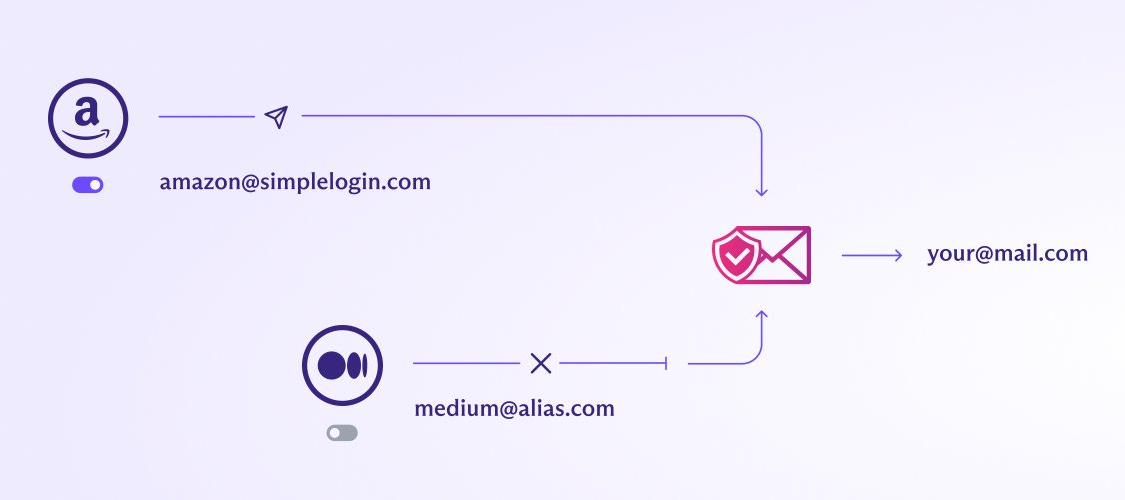
If I still want to use that service, I just create a new alias and change the email address in the account to that new address, and everything keeps working as before.
Managing this isn’t difficult, because it’s a bit like passwords.
If you have a unique one for each account, how do you keep track?
What I do is use a password manager where, for each entry, I store the alias - the service name goes in the title, there’s a field for the password, and I can even add the login URL, so if I use browser extensions it autofills the credentials.
This way, logging in is seamless: I never have to wonder which alias I used for which service.
If your password manager has this kind of functionality, even better.
By the way, if you don’t know what a password manager is or how it works, here’s my article on that:

In that case, the password manager can create an alias for you - or even suggest one - right on a site’s registration page, link it to the password, and the whole sign-up is done in seconds.
Aliases also provide an additional layer of security: if one of your accounts is compromised and someone learns the email address for that account, they won’t know the email address for any of your other accounts.
So they can’t try to access or brute-force their way into those.
Combined with unique passwords for each service, this adds yet another layer of protection - because to log in, you need both the username (the email) and the password. If an attacker doesn’t know either, gaining access to your other accounts becomes significantly harder.
The pitfalls
As with every good setup, this too has some pitfalls.
The first is that, as mentioned, if you have many accounts and want this under the same service, you may need to pay a subscription.
The other is that if one day I want to change providers, I’m stuck, because I will have hundreds of email aliases to create in the new provider, and updates to make in the respective accounts, which won’t be fun.
That’s why some people prefer services that let you use your own custom domain - it makes future migrations much easier.
Start now
If you don’t use email aliases yet, the benefits are big.
You probably are registered in many websites, so you don’t have to create aliases and change the email address in all your accounts at once, but start today with the first one.
You’ll thank yourself later.
See you soon,
Nelson